KEMO IPTV on XCIPTV Player: Setup & Playback Help
KEMO IPTV APPLICATION GUIDES · UPDATED 10 NOVEMBER 2026
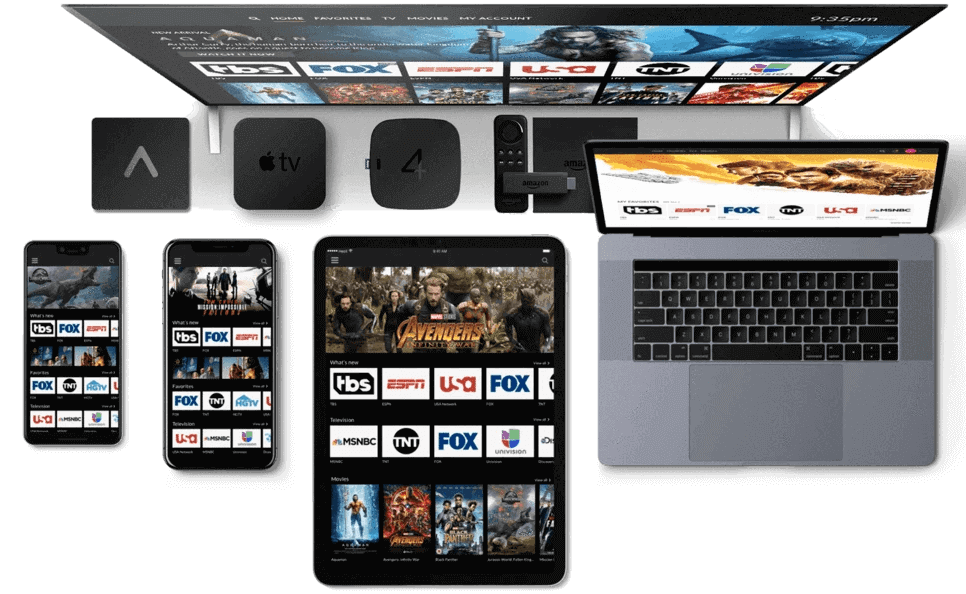
Identify the XCIPTV edition you have
This guide covers the XCIPTV and XCIPTV Player names together. OTTRUN’s documentation also uses OTR Player for the product formerly called XCIPTV Player. Customized editions can look different, so note the publisher, version and exact application name before entering KEMO IPTV details. The presence of a familiar layout does not prove that a branded edition accepts every provider.
The developer describes an Android player with built-in playback engines and support for several provider formats. It does not supply a television subscription. Confirm that your installed edition accepts the KEMO IPTV access method you received, and use only the content and credentials that are authorized for your account.
Install and record the basics
Use OTTRUN’s official distribution links or its verified store listing. Check the publisher instead of relying only on search keywords. If a service supplies a branded version, ask who maintains it, which devices it supports and whether it is necessary for your account. Do not install an unrelated branded package simply because its screenshot resembles the player in a tutorial.
After installation, note the app version and device operating system. Test the remote or touchscreen before adding the source. Close any existing streaming sessions during setup, especially if you have a single-connection package. This prevents another active player from making the first test appear unreliable.
Choose the account method exposed by your edition
Inspect the login screen before typing. If it requests a server address, username and password, use the corresponding provider details. If it offers an M3U URL method and that is your confirmed format, enter the complete playlist address there. OTTRUN documents M3U and Xtream-compatible support, but a customized edition may expose only some options.
Do not substitute your customer-area password for streaming credentials. If the server is preconfigured and cannot be changed, ask whether the edition is intended for your service. Repeatedly trying different passwords will not fix an application tied to a different provider. Record the available fields so support can identify the correct next step.
Save and validate the KEMO IPTV profile
Enter one set of details carefully, checking capitalization, port information and unwanted spaces. Save the profile and wait for synchronization. Avoid repeatedly adding the same account while the application is still downloading its initial information. If the app shows several content categories, remember that an empty category may simply not be included in the confirmed package.
Open an ordinary included live source first. Check that video begins, audio is audible and returning to the channel list works. Then test another item. This separates a complete login failure from a source-specific playback issue and provides a useful baseline before you adjust player settings or organize favorites.
Understand the built-in playback engines
OTTRUN documents ExoPlayer and VLC-based playback in the player family. Where your edition exposes a choice, a controlled comparison can help identify a format-specific problem. First record which engine is selected and which source fails. Switch only that setting, repeat the same test and compare the result before making any other change.
A different engine is not a universal repair. It cannot renew an expired subscription, correct a wrong server address or restore an unavailable channel. If changing engines helps only one type of stream, include that detail in your support message. Keep the previous setting available so you can return to it if another source behaves worse.
Use guide information and favorites
The developer describes EPG support and favorites for live television and library content. Start by checking whether your service supplies the necessary guide data through the selected method. If schedules are wrong, inspect the device’s time zone before applying offsets. If one channel has no schedule while others do, ask about that channel’s guide coverage.
Build favorites from sources you have already tested. A favorite is a convenient reference, not a separate copy of the stream. If the underlying item changes, you may need to locate it again in the source list. Keep the original category structure accessible until the customized arrangement is stable.
Recording, reminders and catch-up
Some editions describe scheduled recording, program reminders and catch-up. Confirm both the application capability and the source’s requirements before depending on them. A reminder prompts you to watch; it does not necessarily create a recording. A guide entry can exist even when no replay archive is available for that program.
Test a short permitted recording before scheduling anything important. Check storage space, whether the device remains available and whether the recording plays afterward. Ask the provider whether recording while watching another source uses additional connections. Do not infer unlimited simultaneous access from a player interface that offers multiple windows or background tasks.
Diagnose a blank or incomplete dashboard
When the dashboard is empty, determine whether the application accepted the profile or displayed a login error. Check the chosen account method, saved server and subscription status. If some categories populate, identify which ones are missing and confirm they belong to your package. Do not immediately delete an otherwise working account because one library section is empty.
If the application becomes unresponsive during loading, note how far it progressed and whether the device has adequate free storage. Restart the player once and repeat the same controlled test. Reinstalling repeatedly can remove useful settings while leaving the actual account or source problem unchanged.
Keep backup and account information private
The player family documents backup and restore features. Before using them, check what your edition includes and where the backup is stored. Treat any export containing provider details as sensitive. Do not upload it to a public forum or send it to an unrelated helper. A screenshot of an error is often sufficient when its credentials have been removed.
When moving to a new device, verify app licensing, provider authorization and connection limits separately. Restoring favorites does not prove that every aspect of the subscription has transferred. Test the new setup before erasing the old one, but avoid leaving both streaming simultaneously if your package does not permit that.
KEMO IPTV XCIPTV frequently asked questions
Why are there different names for this player? OTTRUN’s own material uses both the XCIPTV lineage and the OTR Player name; use the publisher and version to identify your edition. Does the built-in player remove the need for a subscription? No. Playback software and content access are different components.
What should I send support? Include the app edition, device model, login format, error text and whether the catalog or only playback fails. If you tested two engines, describe the result without sharing credentials. Compare the Smarters and TiviMate guides for other interfaces, and return to the KEMO IPTV apps hub to choose the guide matching your actual installed software.
Publisher information and guide scope
Publisher reference: XCIPTV Player official information. App features, distribution and menu labels can change. This is independent KEMO IPTV setup guidance, not a claim of endorsement by the application developer. Confirm the source format available for your own subscription and use only authorized content.