KEMO IPTV on GSE Smart IPTV Pro: Playlist & EPG Guide
KEMO IPTV APPLICATION GUIDES · UPDATED 10 NOVEMBER 2026
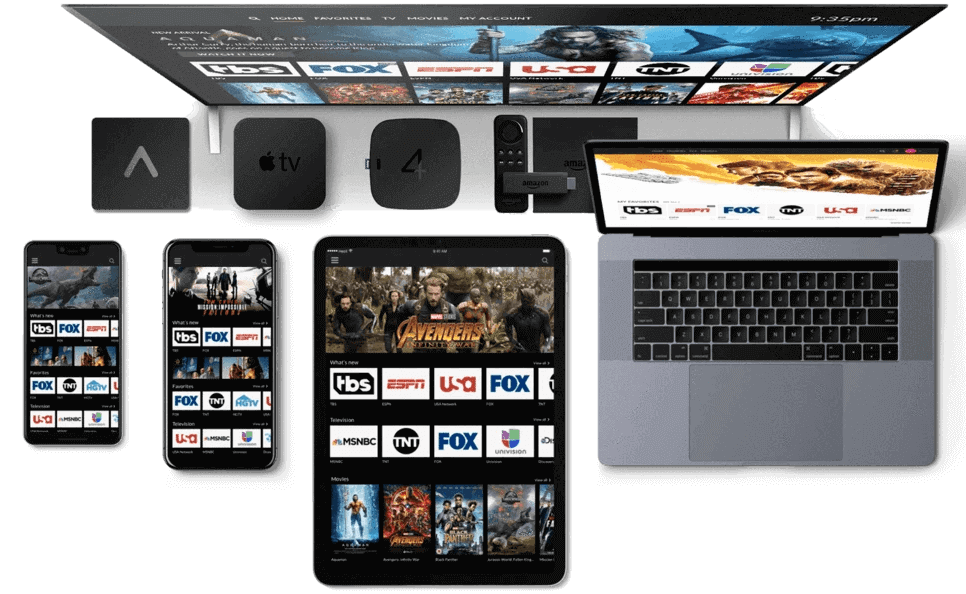
Verify the GSE application before adding access
GSE Smart IPTV is a name used in searches that can lead to different applications. This guide refers to the GSE Smart IPTV Pro product associated with droidvision and the developer’s gsesmartiptv.com website. Check the publisher and package or store identity, not merely the words in the title. A different developer’s similarly named application may have different menus, licensing and support.
For KEMO IPTV, confirm that your service format is supported by the specific edition available on your device. The developer’s material describes multiple platforms, but that does not guarantee that every older edition remains available in every regional store. Do not install an unsupported historical package just to match an old tutorial.
Distinguish a playlist from a program guide
The playlist tells a player where content can be found. Program-guide data describes schedules associated with channels. These are separate inputs even when an account-based setup supplies both automatically. Having an EPG address does not give you the playable source, and having a playlist does not guarantee that complete schedules are included.
Ask KEMO IPTV which details were issued for your account and label them privately before starting. If you have a full playlist URL and a separate XMLTV link, do not swap them between fields. Keep the original message intact so you can compare a saved address with the correct source when an import does not behave as expected.
Install and inspect your edition
Follow the developer’s official website or verified store route for the device you use. Record the operating system, app version and publisher. If a purchase is required for the application, review it separately from your television subscription. A receipt for the player does not create provider credentials or renew an expired service account.
Open the application and identify its source-management controls before typing private values. Some editions may present remote playlists, local files and structured API accounts separately. Choose the category that actually matches your information. If your installed edition lacks the expected method, ask about compatibility rather than putting a URL into an unrelated field.
Add a remote M3U source
When your account provides an M3U URL, choose the remote-playlist addition option exposed by your edition. Give it a recognizable name and enter the complete supplied address. Keep account parameters and punctuation intact. A short public website address is not a substitute for a private playlist link unless the provider explicitly says it is the correct endpoint.
Save the source and wait for the list to populate. Then test a confirmed included item. If the import reports a format error, capture the wording without revealing the link. If a list appears but nothing plays, investigate playback separately instead of assuming that the playlist was never accepted.
Use a structured API login when supported
The published Android Pro listing documents Xtream API support. If that method is available in your edition and confirmed for your service, select its account-creation option and enter the server, username and password in the appropriate fields. Use the issued playback credentials, which may differ from a website customer login or application-store account.
Review the server scheme and port exactly as supplied. Do not append a guessed path or construct a server from a brand name. After saving, check which content categories actually populate. An API-capable application can display areas for content that your particular package does not include, so confirm availability before treating an empty category as a fault.
Connect the correct XMLTV information
The developer lists XMLTV guide support. For a setup requiring a separate guide source, enter the confirmed EPG address in the appropriate guide section and associate it with the intended playlist where your edition requires that relationship. Refresh the guide and allow processing to complete. Avoid adding several unrelated guide sources while diagnosing an initial problem.
Check timing using the device clock and a few known channels. If every listing is shifted consistently, examine the time zone before rebuilding the source. If only particular channels lack schedules, report those names. A program-guide gap and an unavailable stream are different issues, and support should know which one you are experiencing.
Make track choices during playback
GSE’s published features include audio and subtitle-related playback capabilities, but the available choices depend on the source. If a video plays in an unexpected language, inspect the offered audio tracks first. If subtitles are absent, establish whether the item supplies a supported subtitle track before changing application-wide settings or seeking a different subscription.
Keep the first comparison simple: one known item, one setting and one observed result. If the change helps, test another included item before treating it as a permanent default. A setting that suits one source may be inappropriate for another, especially across different encodings or older devices.
Manage local files and remote links differently
A local playlist file can be a snapshot of information at the time it was created. A remote link may be refreshed according to the source and player behavior. Before deciding which approach to use, ask how your provider distributes lineup changes. Do not assume that a file copied months ago represents the current package.
If you keep local files, name them clearly and protect any embedded credentials. Do not place a private playlist in a public cloud folder or attach it to an open support forum. When a file import fails, check that you selected the intended file and that the device grants the application the necessary access, without granting unrelated permissions.
Troubleshoot old instructions and changing menus
Older GSE tutorials may show a different platform or release. Compare the purpose of the control rather than blindly following an icon color or screen position. A source-addition button, an EPG setting and a playback preference serve different roles even if their locations change. Use your edition’s current help when a menu is absent.
For a failure, record whether it happens during installation, importing, guide loading or actual playback. Include the precise app identity because another application using GSE-related words may not be covered by the same documentation. Reinstall only after you understand what saved information will be lost and have a supported way to recover the setup.
KEMO IPTV GSE questions and useful links
Does every GSE-named application belong to the same developer? No identity should be inferred from a name alone; check the publisher and official distribution route. Can a guide URL replace the playlist? No, schedule information and playable source information serve different purposes. Does buying Pro include KEMO IPTV? Treat the player and service as separate purchases.
For account help, provide the device, verified app edition, source method and error message while removing credentials from screenshots. Compare the Televizo guide for an Android alternative or the IPTVX guide for another supported ecosystem. The KEMO IPTV apps hub links every tutorial and the contact page helps you confirm your actual account requirements.
Publisher information and guide scope
Publisher reference: GSE Smart IPTV Pro official information. App features, distribution and menu labels can change. This is independent KEMO IPTV setup guidance, not a claim of endorsement by the application developer. Confirm the source format available for your own subscription and use only authorized content.